Product Updates
From fresh features to behind-the-scenes improvements, this is where you'll find every update that makes our product faster, smarter, and better for you. Check back often — we're always building something new.
-
06 Jun 2026New Feature: Markate Website Lead Engine — Turn Your Website Into a Job-Generating Machine
- New Feature
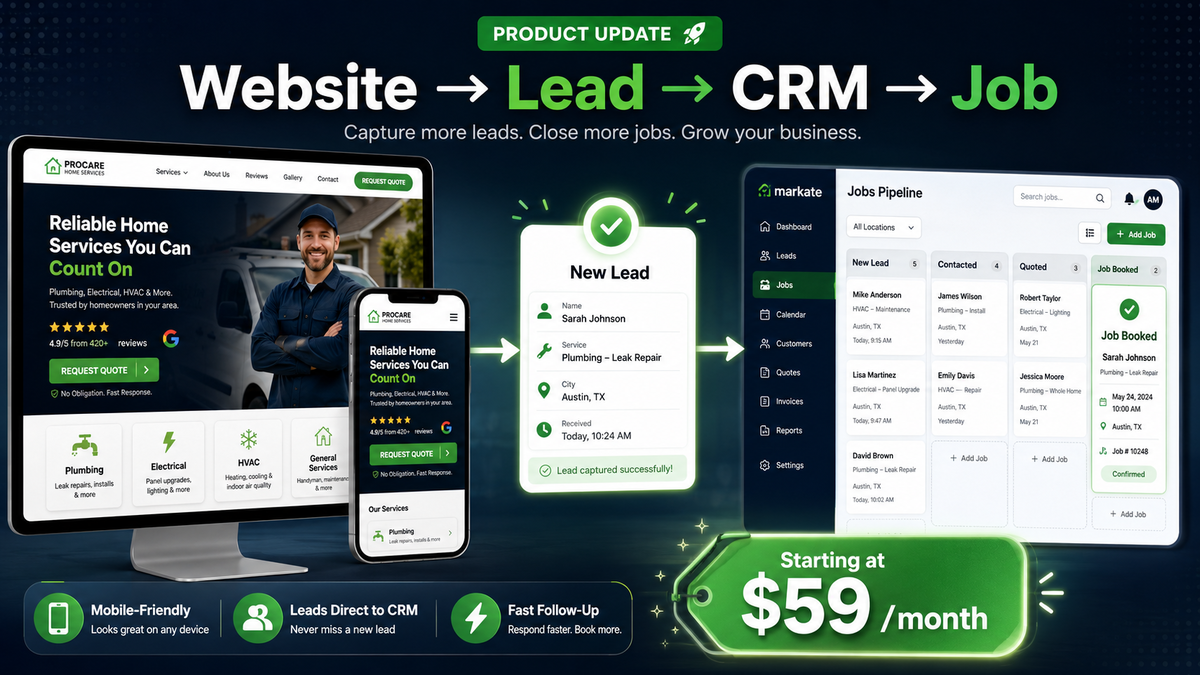
We’re excited to introduce Markate Website Lead Engine, a new website service built specifically for service pros who want more leads, faster follow-up, and more booked jobs.
Your website should not just look good. It should work for your business every day — helping customers find you, request quotes, call your business, and flow directly into your Markate Service Platform.
🚀 What’s New
Markate Website Lead Engine gives service businesses a modern, mobile-friendly website connected to the Markate platform.
With your website connected to Markate, new leads can move from:
Website → Lead → CRM → Job
This helps you respond faster, track every opportunity, and turn more visitors into paying customers.
✅ Key Benefits
Capture More Leads
Built-in quote forms, click-to-call buttons, and clear service pages help convert website visitors into real customer inquiries.
Connected to Markate Service Platform
New leads flow into your Markate pipeline, so nothing gets missed or buried in email.
Mobile-First Design
Your site is built to look great on phones, tablets, and desktops — where most customers search for local service businesses.
SEO / AIO / GEO Foundation Included
Each website includes SEO basics such as page structure, titles, and content setup to help your business get found online.
Done-for-You Setup
No technical work needed. Our team helps build the site, set up the pages, connect forms, and prepare it for launch.
Fast Launch
Submit your business info, services, photos, logo, hours, and service areas — and our team handles the rest.
💰 Simple Pricing
Starter Website — $59/month
A clean, professional website built to capture leads and help your business look credible online.
Growth Website — $89/month
A stronger growth-focused website for businesses that want more visibility, more lead capture, and more conversion opportunities.
Why It Matters
Customers are searching online every day. If your website is outdated, slow, or not connected to your business workflow, you could be losing leads before you even know they were interested.
Markate Website Lead Engine helps service pros create a stronger online presence, respond faster, and book more jobs — all from one connected system.
Learn More -
05 Jun 2026📱 iOS & Android App Update Now Available!
- New Feature
📱 iOS & Android App Update Now Available!
We're excited to announce a new mobile app update packed with improvements, fixes, and new AI-powered functionality!
🚀 New Features
✅ AI Estimate Tool on Mobile
You can now generate AI-powered estimates directly from:- Customer Profile → Add AI Estimate
- Lead Profile → Add AI Estimate
- Home Page → AI Estimate
✅ Additional Phone Number Field
Customers can now have an additional phone number stored on their profile, making it easier to keep track of multiple contact methods.🔧 Fixes
✅ iOS Add Item Fix
Resolved an issue where adding items required multiple taps. You can now simply double-tap the "+" icon to add an item as expected.If you do not have automatic updates enabled, please visit the App Store or Google Play Store to download the latest version.
Thank you for your continued feedback and support as we continue improving the Markate mobile experience!
-
27 Apr 2026🚀 New Feature: Kate AI Estimator is here. Create professional job estimates in about a minute using job details and photos. Respond faster, win more jobs, and increase ticket size with smart upsells — all fully connected inside Markate.
- New Feature

New Feature: Kate AI Estimator — Create Estimates in a minute
We’re excited to introduce Kate AI Estimator — a powerful new way to create professional estimates faster than ever.
⚡ What’s new
Kate AI Estimator helps you turn job details and photos into accurate, customer-ready estimates in about one minute
No more manual quoting.
No more delays.
No more missed opportunities.
💥 What this means for you
- ⚡ Respond instantly to new leads before competitors
- 📸 Analyze job details and photos automatically
- 💰 Generate accurate pricing using your data + smart insights
- 📈 Increase job size with built-in upsell suggestions
- 🔄 Stay fully connected from estimate → job → invoice
🎯 Why it matters
Speed wins jobs.
Customers often go with the first professional estimate they receive.
Kate AI Estimator helps you respond faster, look more professional, and close more deals.
🧠 How it works
- Enter job details or upload photos
- Kate analyzes scope, labor, and materials
- Generates a complete estimate with pricing and upsells
- Review and send instantly via SMS or email
🔥 Built for service pros
Perfect for:
- Pressure washing
- Carpet & tile cleaning
- Window cleaning
- Handyman & contractors
- HVAC, plumbing, landscaping, and more
🚀 Fully connected inside Markate
Kate AI Estimator is part of your Service Operations Platform:
👉 Lead → Estimate → Approval → Job → Invoice → Payment
All in one system. No switching tools.
💡 The result
- Faster estimates
- Higher close rates
- Bigger jobs
- Less admin work
👉 Get started
Kate AI Estimator is now available.
Start creating smarter estimates and winning more jobs today.
-
31 Mar 2026🚀 Connect. Automate. Scale. — Markate Connect API is Here
- New Feature
We’re excited to announce that the Markate Open API is now available to our Pros—giving you the power to connect, extend, and scale your business like never before.
With Markate Connect, you can now integrate your workflows, tools, and systems directly with your Service Operations Platform.
🔗 What this means for you
- Connect your stack
Integrate with third-party tools like marketing platforms, websites and more. - Automate your operations
Trigger workflows automatically — from lead capture to job completion and payments. - Build custom experiences
Create tailored solutions for your business, customers, or internal teams. - Real-time data access
Sync customer, job, invoice, and operational data instantly across systems.
⚡ Why it matters
Markate is more than software — it’s your Service Operations Platform.
The Open API unlocks a new layer of flexibility, allowing you to:- Eliminate manual work
- Reduce errors
- Scale faster with connected systems
- Build your own ecosystem around Markate
🛠️ Built for partners & growing businesses
The Markate Open API is designed for:
- Technology partners
- Agencies & developers
- Scaling service businesses
Whether you're building integrations, automations, or entirely new experiences — Markate Connect gives you the foundation.
🔐 Access & Availability
The Open API is available to approved partners and customers.
👉 To request access, contact: api@markate.com
👉 Explore capabilities: https://connect-api-docs.markate.com/
We’re just getting started.
Learn More
More endpoints, integrations, and developer tools are coming soon as we continue to expand the Markate ecosystem. -
15 Dec 2025📊 New Report Available: Job Average Report
- New Feature
📊 New Report Available: Job Average Report
We’ve added a new Job Average Report designed to help you better track performance and understand your business trends.
What’s included:
-
Calculates average job value over a customizable date range
-
Filter results by customer, employee, or job type
-
View totals and averages directly within the report
-
Export functionality for easy reporting and analysis
This report simplifies performance tracking, saves time, and provides quick, actionable insights into your business. -
04 Dec 2025📢 New Feature Alert: Auto Payments for Invoices!
- New Feature
📢 New Feature Alert: Auto Payments for Invoices!
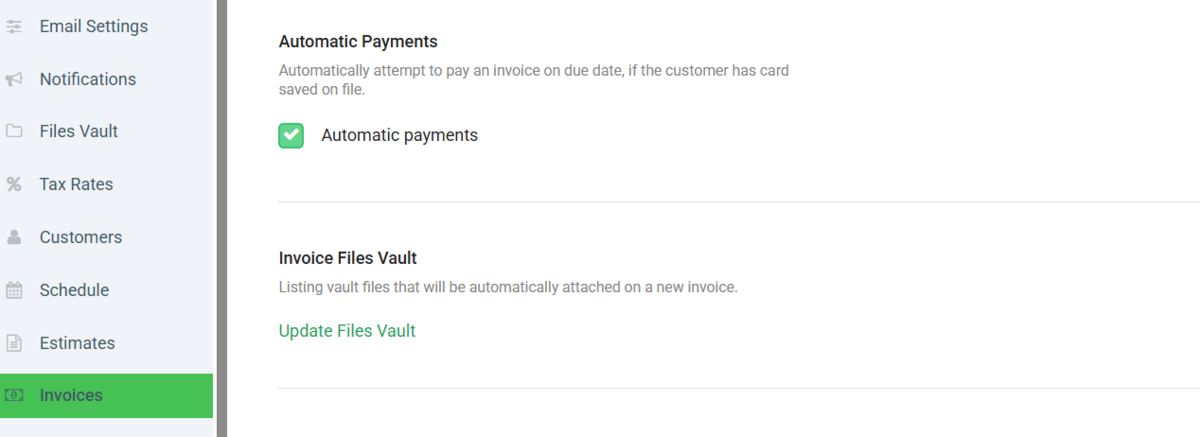
We’re excited to announce that you can now enable Auto Payment on invoices when using Square as your payment processor. If your customer has a card saved on file, Markate can automatically process the payment for you!
Important Details:
-
Auto payments are processed at 12:00 PM.
For example, if you create an invoice today and have auto payments enabled, the payment will run automatically at 12:00pm. Another example is if you create an invoice after 12:00pm and the due date is that same day, automatic payment will process following day at 12:00pm -
You can enable this feature by going to your Invoice Settings and turning on Automatic Payments.
-
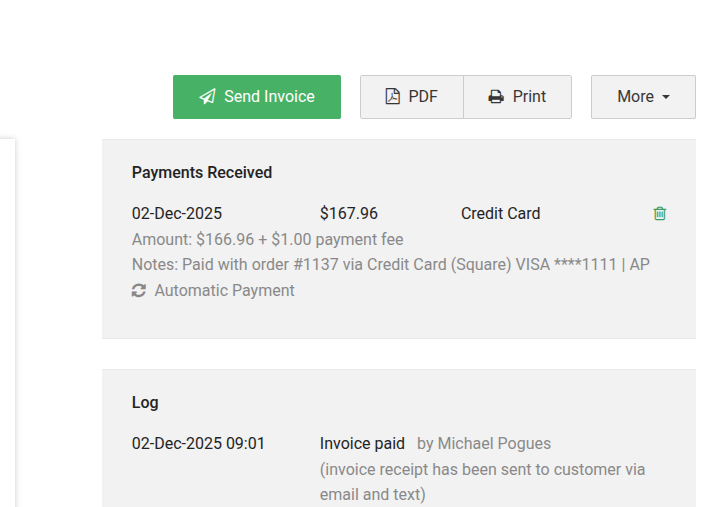
You will see all auto payment activity on the desktop site under the “Payments Received” section.
-
If an automatic payment fails, you will receive an email notification so you can follow up with the customer as needed.
- For Recurring Invoices the payment will be processed on the due date that is selected on the invoice. For example you have a Recurring Invoice set to create on the 5th of each month, the automatic payment will process at 12:00pm on the 5th of the month
- For security reasons we have allowed only one auto-payment per invoice per day and max 5 auto-payments total per invoice
If you have any questions, our support team is here to help!
-
06 Oct 2025📢🎉 New Update – Meet Our AI Receptionist, Kate!
- New Feature
📢🎉 New Update – Meet Our AI Receptionist, Kate!
We’re excited to introduce Kate, as our new AI Receptionist here at Markate! 🎉
When you call Markate, Kate will be the first to assist you. She’s equipped with a powerful knowledge base to help answer your questions quickly and accurately.
If Kate can’t provide the information you need, don’t worry — you’ll be able to leave a message, and a member of our support team will follow up with you as soon as possible.
-
08 Sep 2025📢⏰ New Report – On-Time Arrival Rate for Work Orders
- New Feature
📢 ⏰ New Report – On-Time Arrival Rate for Work Orders
We’ve released a new report to help you stay on top of team performance!
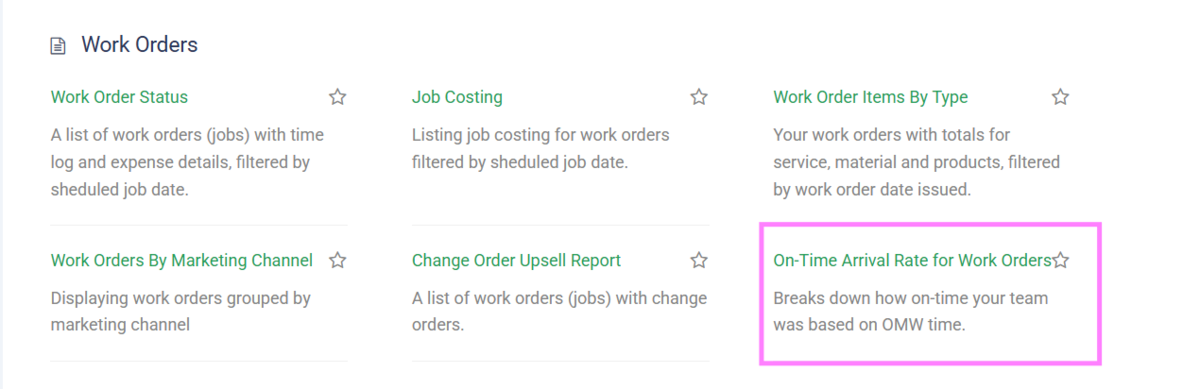
You can now track whether employees are arriving on time or late to jobs.What this means for you:
-
Gain visibility into employee punctuality
-
Spot patterns and address issues quickly
-
Improve accountability and overall efficiency
This report is available now—check it out in your reports in the Work Order section to start tracking today!
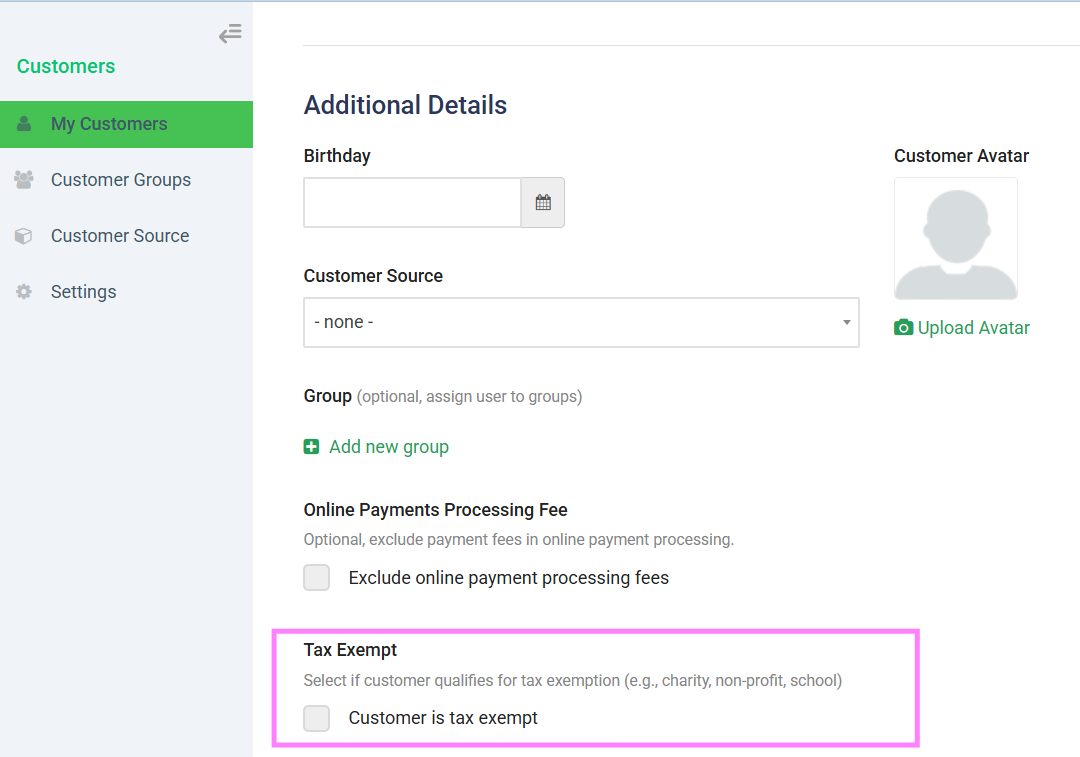
 08 Sep 2025📢 New Feature – Mark Customers as Tax Exempt
- New Feature
📢 New Feature – Mark Customers as Tax Exempt
We’ve added a highly requested option to simplify your billing process!
You can now mark a customer as Tax Exempt directly in their profile.Benefits:
-
Automatically excludes tax from estimates, invoices, and work orders
-
Save time by not adjusting taxes manually
-
Ensure accurate billing for tax-exempt customers
This feature is live—just open a customer profile and set them as Tax Exempt to get started.
 31 Jul 2025New Feature Release: Bulk Delete Leads Pipeline!
- New Feature
🚀 New Feature Release: Bulk Delete Leads Pipeline!
We’re excited to announce a powerful new addition to your workflow: the Bulk Delete Leads Pipeline feature. You can now easily select and delete multiple leads at once, saving you time and streamlining your lead management process.
Key Highlights:
Select multiple leads with a single click using the new multi-select toggle.
Quickly remove unwanted leads in bulk—no more deleting one by one!
Consistent design and functionality with other bulk actions in the platform.
Learn More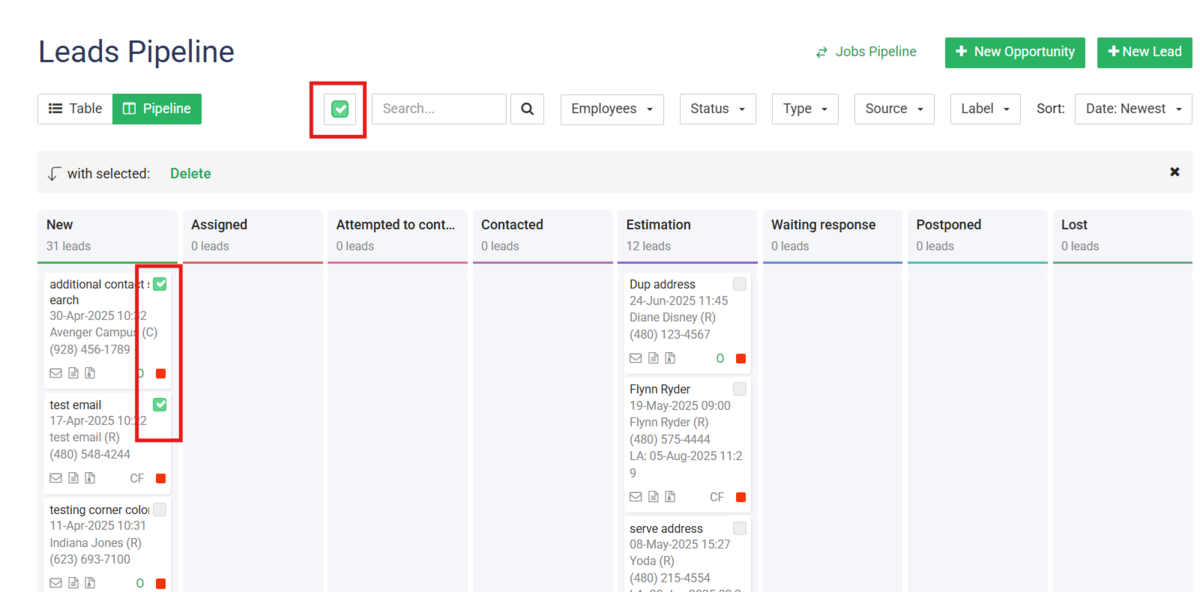 27 Jun 2025📢 New Feature – Bulk Price Increase Option
- New Feature
📢 New Feature – Bulk Price Increase Option
Updating your pricing just got faster!
You can now apply a bulk price increase to multiple items at once by either a flat $ amount or percentage %—saving you time and ensuring consistency across your services or products.Benefits:
-
Adjust prices for many items in one step
-
Keep your pricing up to date effortlessly
-
Reduce manual work and avoid errors
🎉Head to your item list to try it out!
27 May 2025📝 New Feature – Clone Estimates for Leads- New Feature
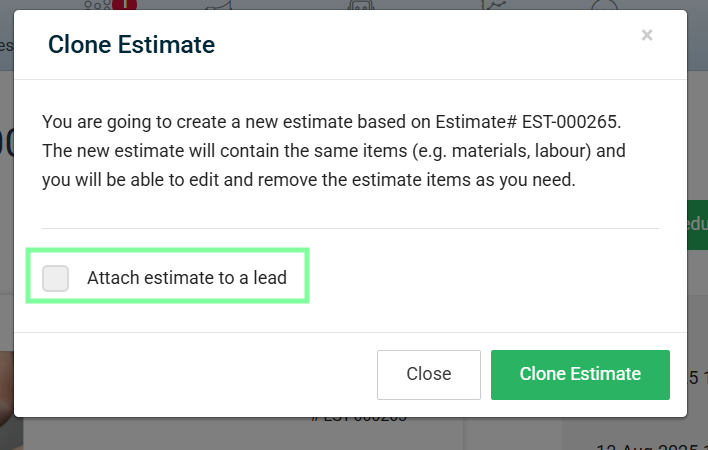
📢 New Feature – Clone Estimates for Leads
We’ve made sending estimates even faster!
You can now clone an existing estimate and send it directly to a lead—perfect for saving time when creating similar proposals.Benefits:
-
Quickly reuse past estimates without starting from scratch
-
Maintain consistency in pricing and formatting
-
Speed up your response time to new leads
- Available on Desktop Only
This feature is available now—just open an estimate and select more, Clone Estimate to get started!
 15 Apr 2025Introducing Kate!! smart AI receptionist
- New Feature
Exciting news! We're thrilled to announce the launch of Kate, our fantastic new AI Receptionist, designed to revolutionize how you connect with your customers!Ready to streamline your customer communication and provide seamless support 24/7?Simply fill out the form below, and our team will reach out to you to set up this incredible feature to try for free!Don't miss this opportunity to leverage the power of AI and enhance your business efficiency at no extra cost during this introductory phase.We're confident Kate will be a game-changer for your business!
Learn More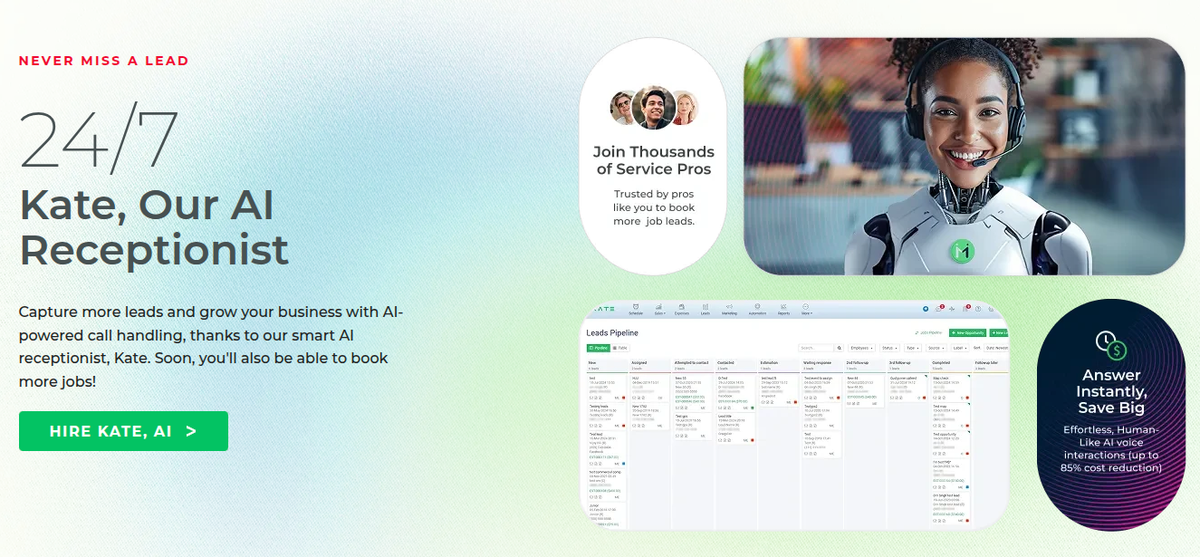 05 Mar 2025📢 New Feature – Blocked Events Now Export to Google Calendar
- New Feature
📢 New Feature – Blocked Events Now Export to Google Calendar
We’ve added a highly requested feature!
You can now export your blocked events directly to Google Calendar, making it easier to keep your schedule organized across platforms.What this means for you:
-
See blocked times right alongside your other appointments in Google Calendar
-
Avoid double-booking and scheduling conflicts
-
Stay in sync whether you’re on desktop or mobile
- 1
Page 1 of 1