Product Updates
From fresh features to behind-the-scenes improvements, this is where you'll find every update that makes our product faster, smarter, and better for you. Check back often — we're always building something new.
-
27 Jun 2025💬🎉 Feature Update – SMS Blast Character Count
- Desktop App
💬🎉 Feature Update – SMS Blast Character Count
We’ve updated how character counts work for SMS Blasts to help ensure your messages are delivered as intended.
Important:
-
Avoid using special characters and emojis in your SMS Blasts
-
These can increase your character count and may cause your message to split into multiple texts which will result in additional charges
-
Keep messages simple to stay within the standard character limit
- When building SMS you can view the character count below the box
💡 SMS Blast Tip:
Avoid special characters and emojis — they use extra characters and may split your text into multiple messages. Keep it simple for best delivery!
Learn More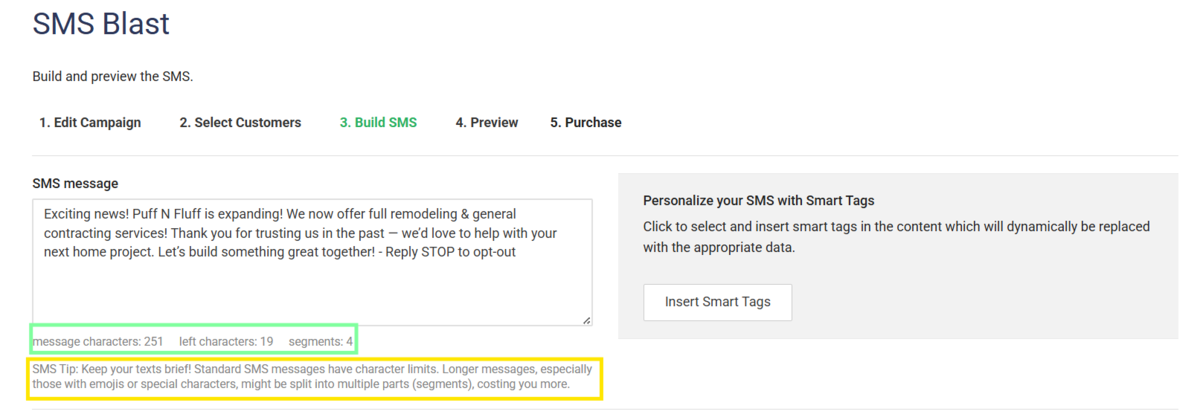
-
29 May 2025Bug Fix: Work Order Notes to Invoice
- Desktop App
Bug Fix: Work Order Notes Now Carry Over to Invoices!
We’re excited to announce that we’ve resolved the issue where notes added in the Work Order (WO) “Details” section were not appearing on the corresponding invoice. Now, when you add a note to the new “Message to Customer” field in a WO, it will automatically carry over to the invoice when converted. This ensures your customers receive all the important information you want to share with them.
Learn More -
27 May 2025📝 New Feature – Clone Estimates for Leads
- Desktop App
📢 New Feature – Clone Estimates for Leads
We’ve made sending estimates even faster!
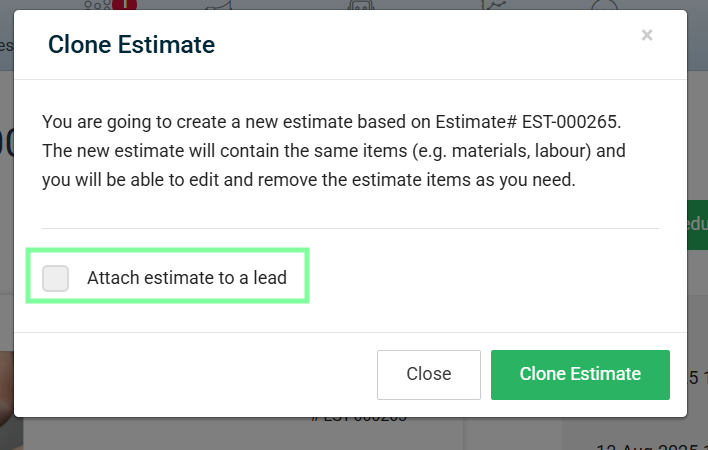
You can now clone an existing estimate and send it directly to a lead—perfect for saving time when creating similar proposals.Benefits:
-
Quickly reuse past estimates without starting from scratch
-
Maintain consistency in pricing and formatting
-
Speed up your response time to new leads
- Available on Desktop Only
This feature is available now—just open an estimate and select more, Clone Estimate to get started!
-
14 Mar 2025📢 New Feature – Bulk Add Customers to Groups
- Desktop App
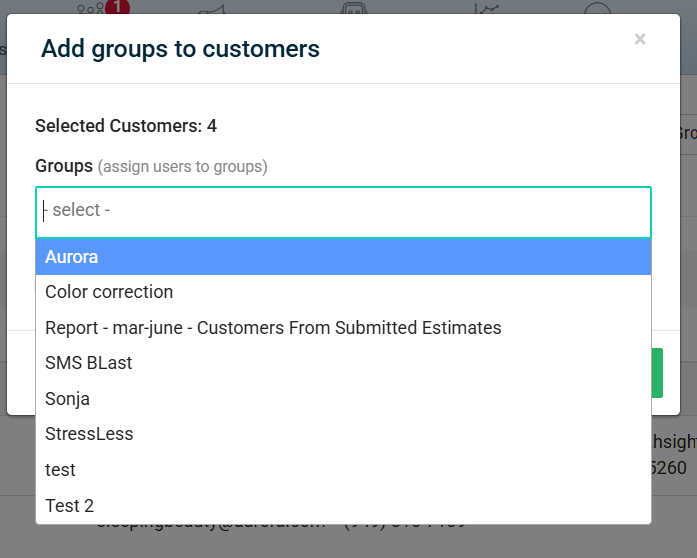
📢 New Feature – Bulk Add Customers to Groups
Managing your customer lists is now easier than ever!
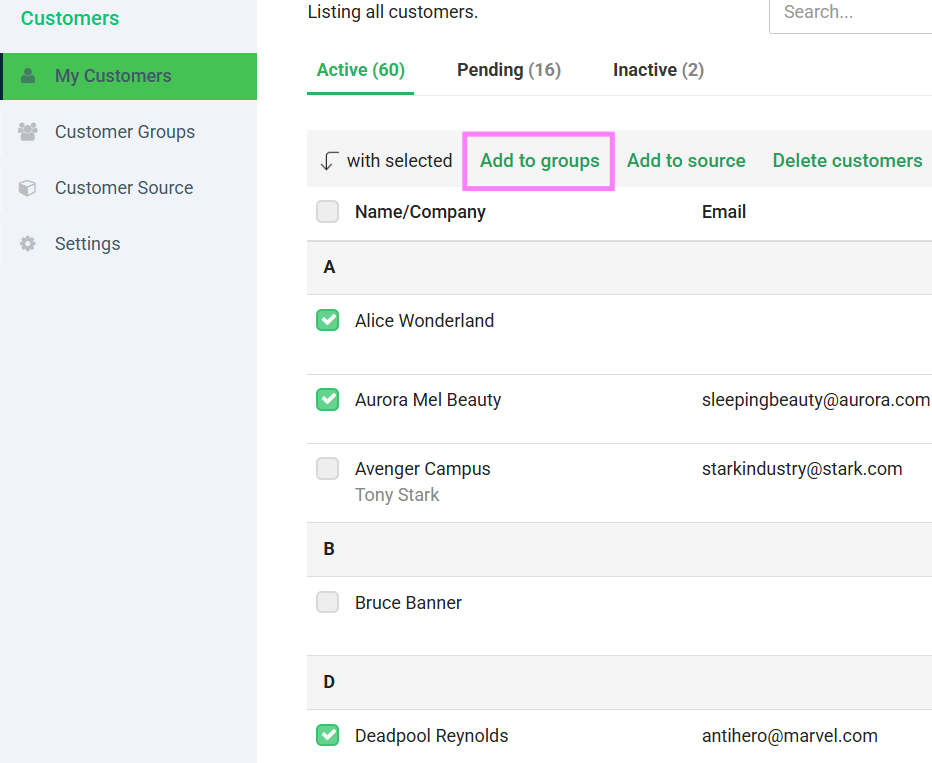
You can now add multiple customers to a group at once—perfect for organizing contacts for marketing, notifications, or reporting.What this means for you:
-
Save time by grouping customers in bulk
-
Keep your lists organized and up to date
-
Quickly target the right audience for campaigns or updates
-
04 Mar 2025Report Update Available: Estimate Status Report!
- Desktop App
📊 Report Update Available: Estimate by Date Report!
We’re excited to announce the launch of the new Estimate By Date report. This report allows you to:
-
Filter by date range, estimate status (Submitted, Accepted, Rejected), and customer type (Residential, Commercial, or All)
-
View key columns: First Name, Last Name, Company, Type, Address, Total, Sales Rep, and Estimate Status
-
Download your data as PDF or CSV, and export by customer group
The report is based on the familiar “Estimate Items” format, with enhanced filtering and export options.
To access the new report, head to the Reports section and look for “Estimate Status.”
Learn More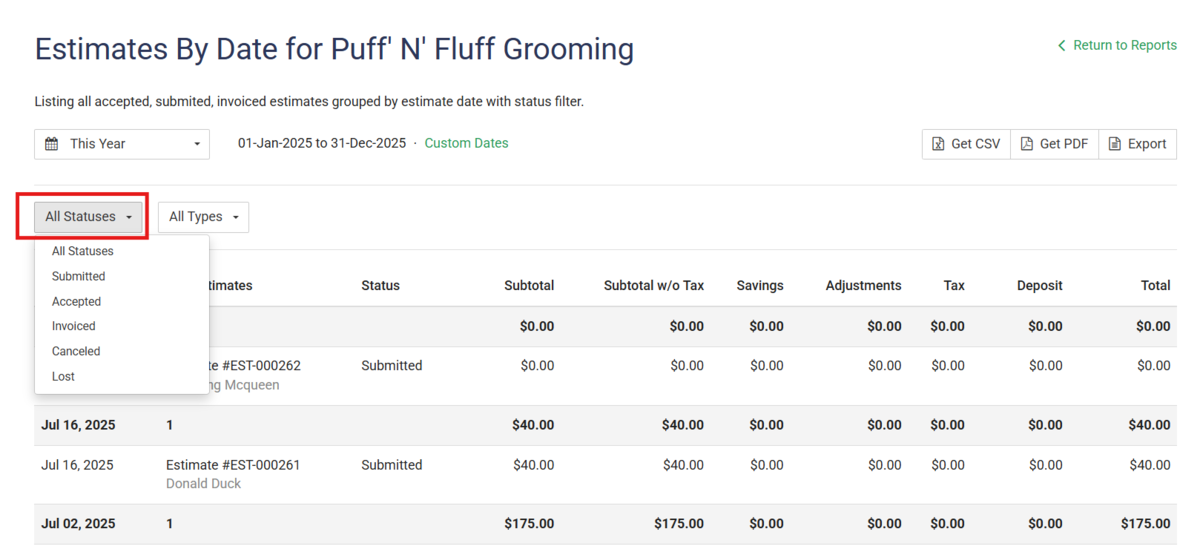
-
11 Feb 2025🗺️Introducing New Feature: Schedule Map
- Desktop App
🚀 Introducing the Schedule Map Feature!
We’re excited to announce the launch of our new Schedule Map feature, designed to help you schedule jobs and sell more efficiently with advanced sales mapping tools.
What’s new?
-
Visualize customer and lead records directly on the map for smarter prospecting decisions.
-
Streamline field sales management and optimize your route planning.
-
Save time by scheduling jobs and managing your field team with ease.
Start using the Schedule Map today to take your sales and scheduling to the next level!
Learn More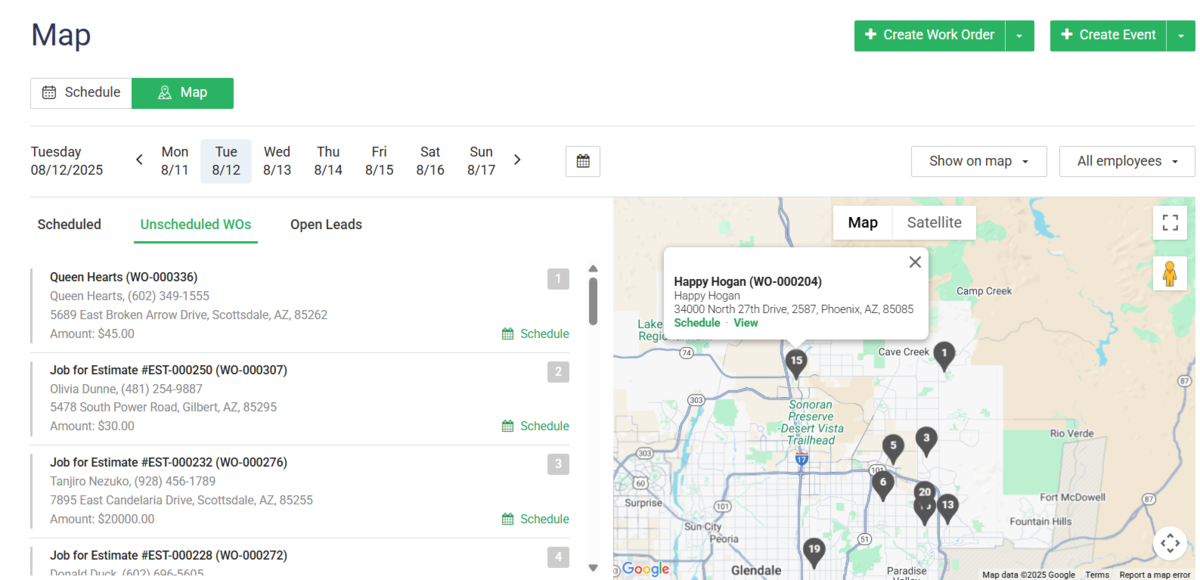
-
10 Feb 2025📢Feature Update – Set Default Sales Tax Rate for Items
- Desktop App
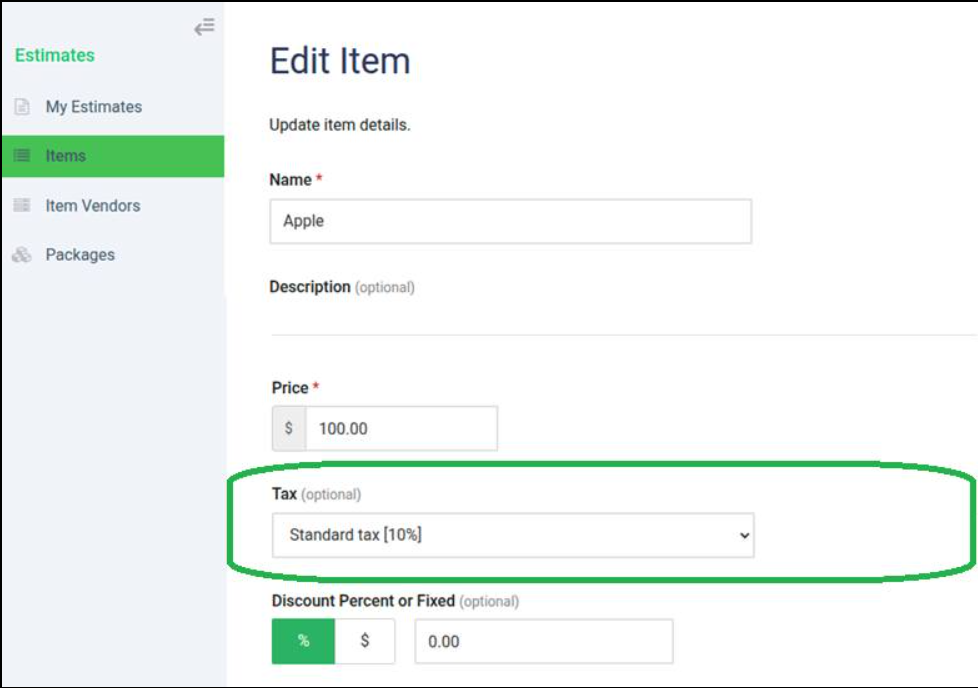
📢 Feature Update – Set Default Sales Tax Rate for Items
We’ve made it easier to manage taxes in your account! You can now set a default sales tax rate for your items, and it will automatically apply to all relevant documents.
How it works:
-
Go to your online account: Sales > Items
-
Set the item as taxable and choose the default tax rate
-
The tax will now automatically apply to Estimates, Invoices, Work Orders, and Credit Notes
-
05 Feb 2025🚀 Activity Log for Credit Card and Wisetack Actions
- Desktop App
We’re excited to announce an enhancement to your admin experience!
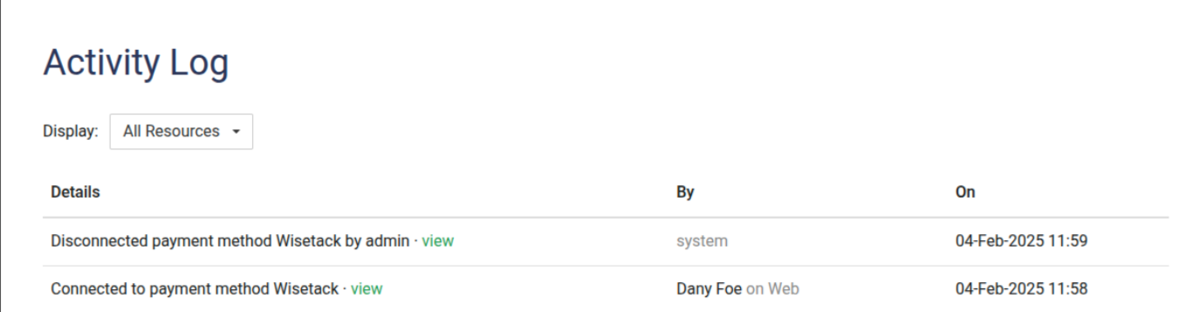
Now, you can easily track key actions related to credit card enable/disable and Wisetack connections right from your Activity Log. 🎯
What’s New?
-
🔒 See when credit cards are enabled or disabled for your business.
-
🔗 Instantly view when Wisetack is connected or disconnected.
-
👀 All actions are clearly visible in your Activity Log for better transparency and control.
This update makes it easier than ever to monitor important payment method changes and keep your records up to date.
-
05 Feb 2025🪲Bug Fix: Gate Code Now Displayed on Schedule Popup Screen
- Desktop App
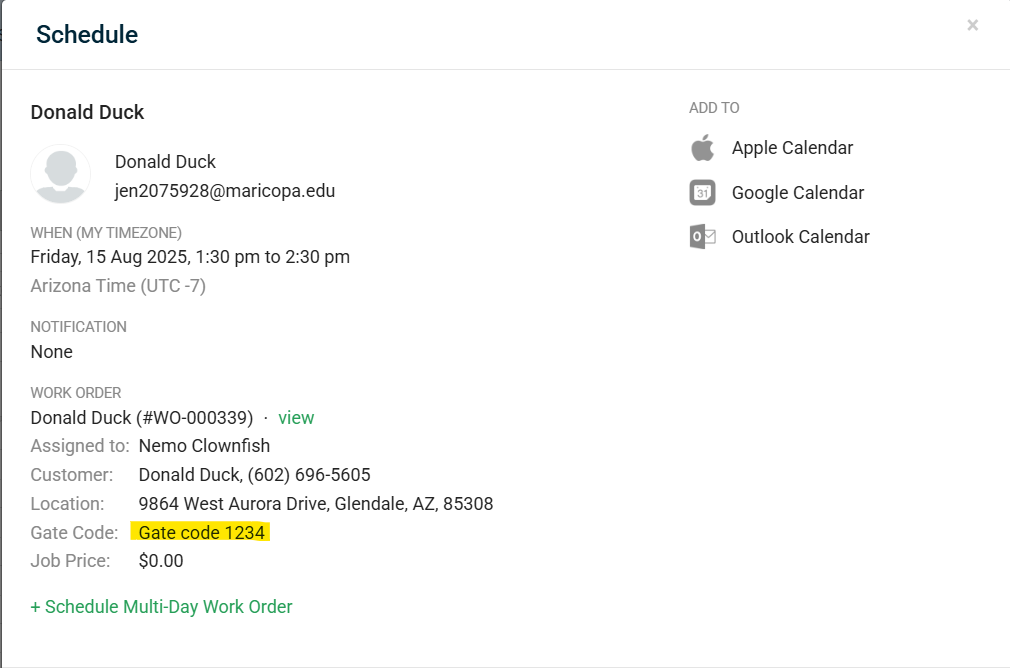
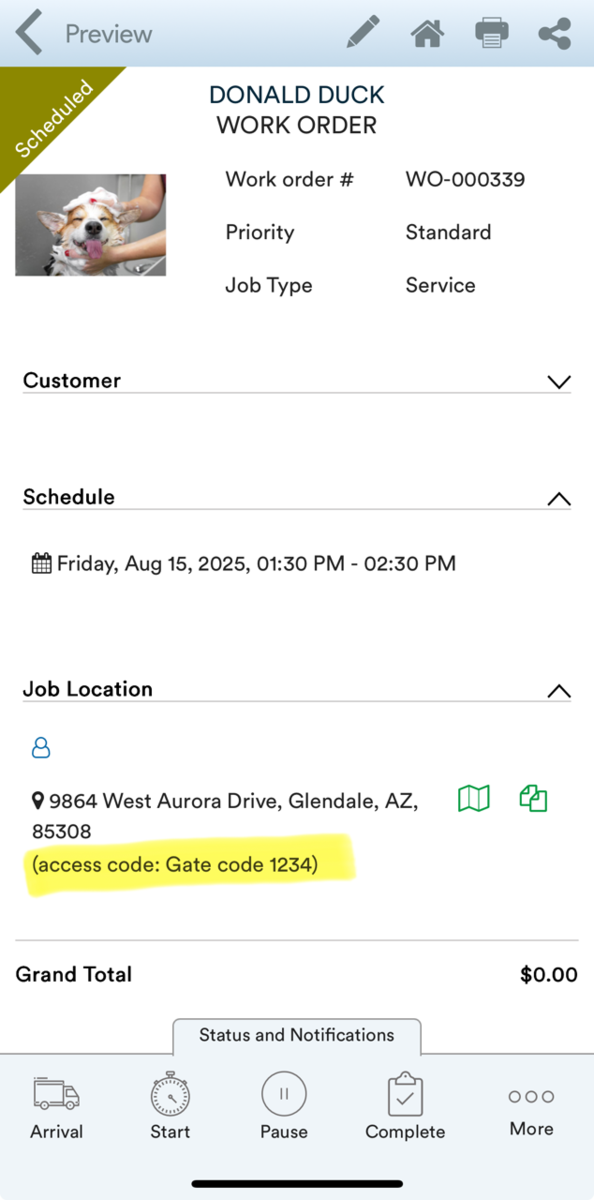
Bug Fix: Gate Code Now Displayed on Schedule Popup Screen
We’re excited to announce an update to the Schedule Popup Screen! The “Gate Code” is now clearly displayed below the address on both app and desktop, making it easier for you to access important entry information when scheduling events.
-
16 Jan 2025🐞 Bug Fix – Discounts on Child Recurring Work Orders
- Desktop App
🐞 Bug Fix – Discounts on Child Recurring Work Orders
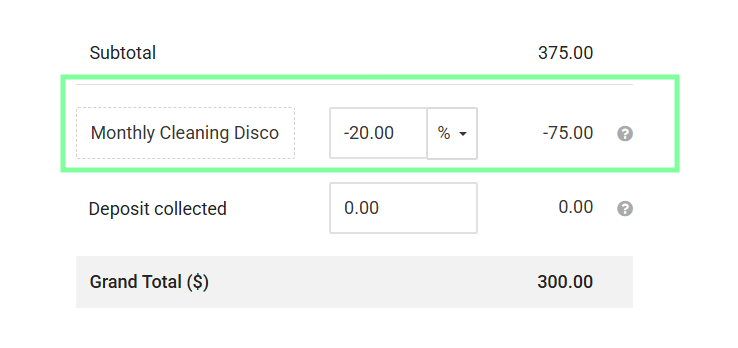
We’ve resolved an issue where discounts were not applying to child recurring work orders.
What’s fixed:
-
Discounts now apply correctly to all child work orders in a recurring series when discount is added to the Parent Work Order
-
Ensures accurate billing and customer satisfaction